
ONBOARD ENGINEERS REMOTELY
Onboard new engineers remotely, like they're next to you
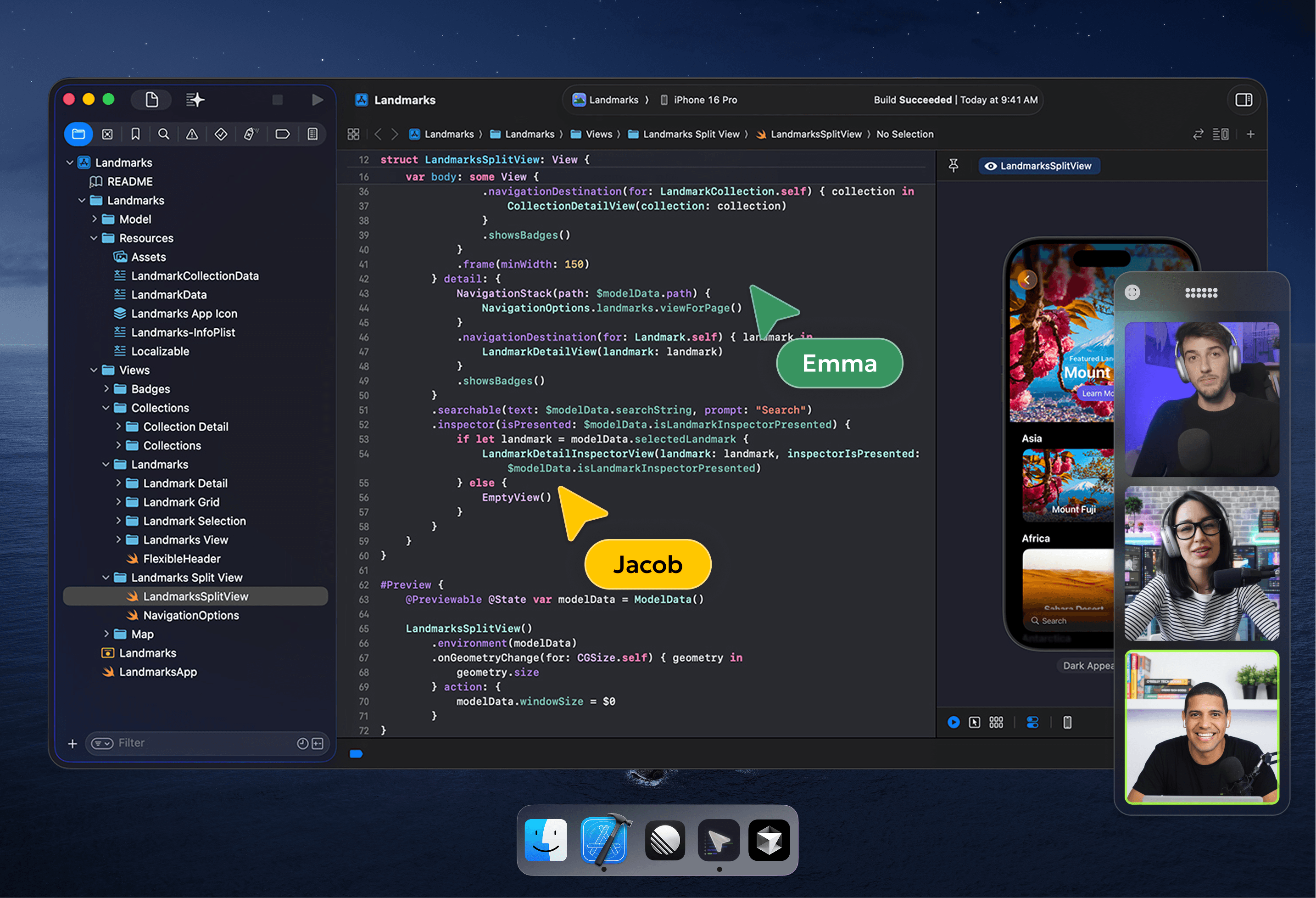
Share your codebase and dev environment with new hires in one session. Both of you can grab the keyboard, so the senior can fix something on the junior's machine without a 20-minute back-and-forth.
No credit card required, 2 week free trial.
Why Hopp for onboarding
How Hopp changes the first week
Zoom, Teams and Slack Huddles were built for meetings. Hopp is built for developer onboarding and pair programming, so a new hire can take the keyboard on day one instead of just watching someone else's screen.
What changes with live pairing
From 1-2 days of setup to a couple of hours
When the senior can grab the keyboard, dev environment setup that usually drags across a day or two tends to wrap up in one morning.
No credit card required, 2 week free trial.
How it works
From install to a paired session in minutes
From invite to a paired session in about five minutes.
- 1
Invite the junior
Send an invite from your team dashboard.
- 2
They install the app
Native macOS or Windows. No admin permissions.
- 3
Call → pairing
Both drive the same IDE, terminal and browser.
Hopp vs generic meeting tools
Why Zoom, Teams and Slack Huddles fall short for onboarding
Onboarding is hands-on work. Friction in every session adds up across the first few weeks.
| Outcome | Zoom / Teams / Huddles | Hopp |
|---|---|---|
| Take the keyboard when your new hire gets stuck | Remote control is hidden (or not even available) a few menus deep and feels laggy once you find it. Not built for quick handoffs. | Click on the shared view and you're driving. Click again to hand it back. |
| Hand over a command, file path or snippet | Paste it into a chat and hope they copy it across to their machine correctly. | Copy on your machine, paste straight into theirs. Same shortcut, both ways. |
| Point at the exact line you're talking about | Annotation exists, but it's a few clicks deep, so most people fall back to 'scroll up, no, up'. | Drawing is one click. Circle the line, talk through it, move on. |
| Read small code and stack traces without squinting | The screen share is compressed for video calls. Fine for slides, painful for 12pt code. | 4K stream with low latency, so 12pt code stays readable. |
❤️ Loved by the best developers
Testimonials

Since trying Hopp as an early user, I've been impressed by how smooth the pairing experience is. The screen sharing is crisp and responsive, making remote collaboration feel effortless in a way other tools haven't quite achieved.
From day one as Hopp's first user, I've been impressed by the team's responsiveness and commitment to user-focused improvements. The screen pairing quality is unmatched and crystal clear, far better than any alternative. It's rare to see such a polished product launch, and I genuinely recommend it.

As we do pair programming a lot and had very bad experiences with other "standard" tools regarding lagging and screen sharing quality, Hopp really rescued us. Fast, reliable, superb quality without any lags.

P.S. Hopp is brilliant and we absolutely love it 😊

Your app is awesome!

FAQ
Onboarding engineers with Hopp
A new hire joins a session with a senior where either person can type. They set up their dev environment, run the build and push a small change with someone there to unstick them when something breaks.
Yes. A Hopp room fits up to 10 people. Works for new-hire bootcamps and for putting the manager and the buddy in the same session as the new joiner. You call them in from your teammates list.
Hopp is a small native app for macOS and Windows. No browser extensions and no admin permissions. Most new hires are pairing with their buddy a few minutes after installing it.
Zoom, Teams and Slack Huddles are meeting tools. The screen share is compressed for video calls, there's one cursor, and remote control is buried in a menu and laggy once you find it. On Hopp, you click the shared view to take the keyboard, the stream is 4K with low latency, and copy-paste works between both machines.
Yes. The trainer drives the IDE while trainees watch in the same room, and any trainee can take control to try the exercise. Teams also use it for ongoing mentorship once onboarding is done.
Get your next hire pairing on day one.
Try Hopp free for 2 weeks. No credit card required.